Use a QR Code Feedback Form to Gather High-Quality Responses
Want to get quick feedback for your products and services?
Use feedback QR codes to improve your services and customer satisfaction, and allow you to:
- Collect star ratings and written feedback directly from customers
- Receive important employee feedback to improve your internal processes
- Increase client engagement and loyalty
Keep reading to find out how QR codes can help you capture responses efficiently and use them to refine your business strategies.
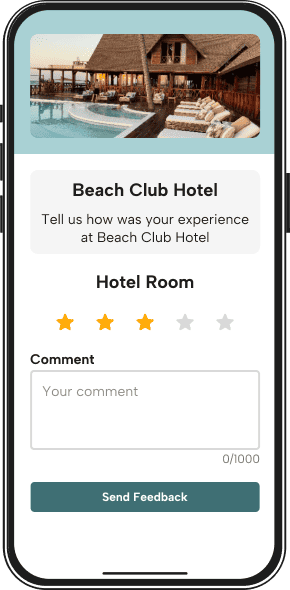
Steps To Create a QR Code for Collecting Reviews With QRNow
With the help of our QR code generator, you get 7 days of Premium access and can easily create your code. Just follow these 3 simple steps to start collecting valuable reviews today:
-
Choose your feedback format
Decide what kind of feedback you want to collect, such as a star rating, written comment, or other available feedback options.
-
Enter the necessary details
Open the QRNow generator and configure the information you want to display on your feedback page. Add a title, description, branding, and the feedback options you want customers to use.
-
Design and download your QR code
Create your QR code with a style that matches your brand. Then download it in high resolution and start placing it on your materials to get feedback in no time.
Uses of Feedback QR Codes for Businesses
Below, you can review a number of examples of how different businesses can use feedback QR forms so that you can get some inspiration for your own products or services.
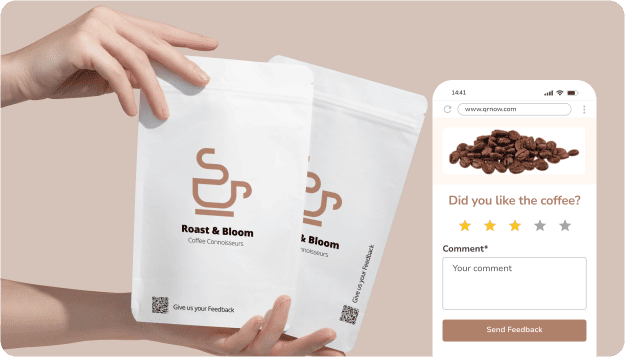
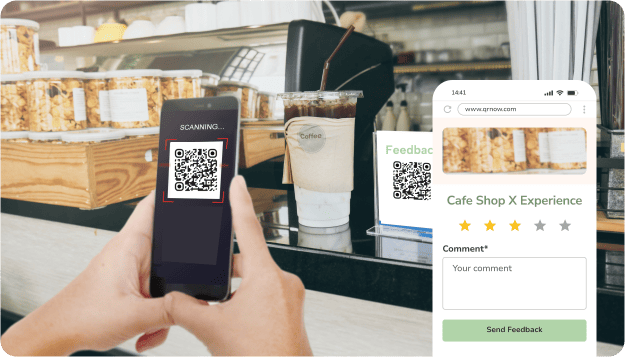
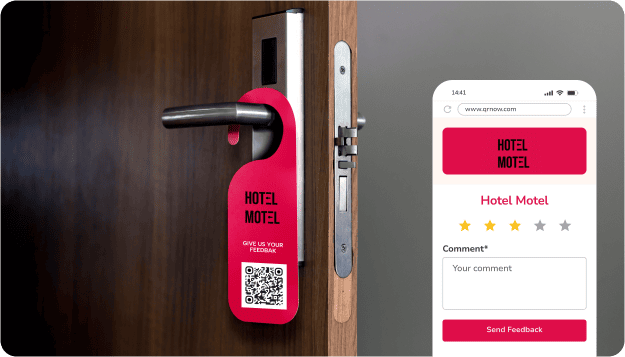
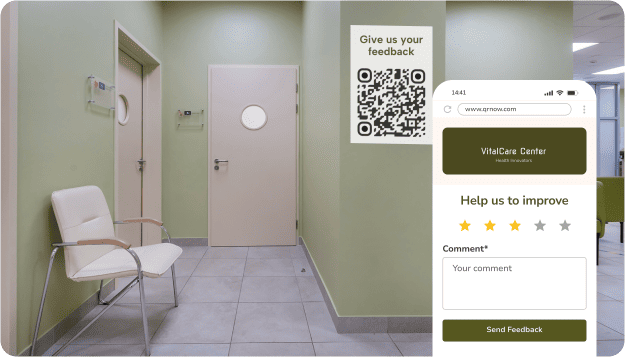
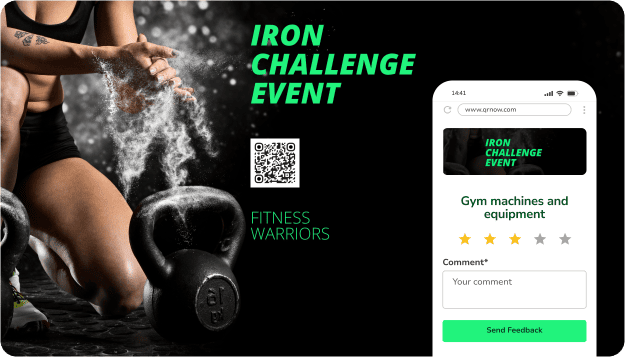
QRNow data insight: Our feedback QR code customers include restaurants, entertainment venues and workplaces. Anonymized QRNow customer usage data from July 2026 demonstrated that these businesses use feedback QR codes for guests to leave feedback on events and service standards, or for workers to report safety observations safely and anonymously.
Based on aggregated and anonymized QRNow customer usage data collected in July 2026.
How To Get Reviews for Your Business With Feedback QR Codes
Collecting feedback is not just about where you place your QR codes. It’s about how you encourage people to scan them and respond. The power of customer feedback in improving business performance shows that guiding users through the process leads to higher response rates and more useful insights.
Applying practical tips will help you increase engagement and collect more meaningful feedback:
-

Collect reviews in under a minute
Users are far more likely to scan your QR code when they know the process is quick. Keep your form short and focused, using simple questions or rating options that don’t require long written responses. The easier it is to complete, the higher your response rate will be.
-

Offer a small reward
For private surveys or feedback forms, consider offering a small incentive where appropriate. Do not offer rewards in exchange for public reviews, and always follow the rules of the review platform you use.
-

Explain that feedback helps you improve
Customers are more willing to share feedback when they know it will make a difference. Let them know their input directly impacts your products or services. A short message explaining this can increase trust and motivate users to take a few seconds to respond.
-

Ask for reviews at the most relevant moment
Timing plays a key role in getting responses. Share your QR code immediately after a purchase, service, or visit while the experience is still fresh. When customers are engaged and their impressions are clear, they are more likely to scan and provide useful feedback.
Types of Feedback Forms You Can Share With a QR Code
A feedback QR code lets you collect everything from quick ratings to more detailed insights. Whether you want to measure satisfaction, understand loyalty, or gather employee input, it offers a simple way to capture valuable feedback.
Here are the main types of feedback you can gather:
- Star ratings: Let customers quickly rate their experience.
- Written feedback: Give customers space to explain their rating or share suggestions.
- Service feedback: Collect ratings and comments about visits, purchases, events, or customer service.
- Employee feedback: Get anonymous feedback from your business’s employees to improve culture and your work environment.
Best Practices for Using a QR Code for Customer Feedback
Using the right strategies can help you take advantage of all the benefits of your QR codes and deliver a smooth experience for your customers.
Below are some helpful tips to follow, along with mistakes to avoid.
-
 Add an easy-to-read feedback form
Keep your form short, well-structured, and easy to scan on a phone screen. Use clear headings, simple question formats, and logical flow so users can complete it quickly without confusion or unnecessary effort.
-
 Add too many questions
Long forms reduce completion rates. If users scan your feedback QR code and see too many fields, they are more likely to leave without responding. Focus only on essential questions to keep users engaged until the end.
-
Make the feedback process faster
Use your QR code to take users directly to the feedback form with as few steps as possible. Avoid extra pages, redirects, or loading delays so users can instantly start and complete the process without friction.
-
Force users to sign up
Requiring account creation before sharing feedback adds unnecessary resistance. Most users will not want to register just to answer a few questions, which can significantly reduce the number of responses you collect.
-
Close the feedback loop
Show that the feedback collected through your QR code leads to action. Thank users after submission, confirm their response was received, and follow up when needed to build trust and encourage future engagement.
-
Leave negative feedback unanswered
Ignoring negative feedback can damage trust and make customers feel unheard. Responding quickly and constructively shows that you care, helps resolve issues, and can even turn a poor experience into a positive one.
-
Match the form to the type of feedback
Design the form based on the exact type of response you need, whether it’s a quick rating, detailed feedback, or an NPS score. This ensures the data collected is relevant and useful for decision-making.
-
Use the same form for every situation
A generic form can make feedback feel less relevant and less useful. Asking the same questions across all touchpoints often leads to low-quality responses that don’t provide meaningful insights for improvement.
-
Give customers a clear feedback prompt
Tell users what you want them to rate, such as their visit, service experience, purchase, or event.
-
Ask for feedback without explaining what to evaluate
A vague request can produce less useful comments and make ratings harder to interpret.
Measure and Improve Feedback With QRNow Analytics
When you create a code with QRNow, you can use our dashboard to collect important data that can help you with your strategy of getting more reviews.
With a dynamic feedback QR code, you can track the following information:
- Total and unique scans to see how many people are actually reaching your feedback form.
- Locations and devices used, so you can compare performance regarding campaigns.
- Scan time and peaks to understand when customers are most likely to respond.
Frequently Asked Questions
-
Yes. With a dynamic Feedback QR Code, you can update the information and settings on your feedback page without reprinting or replacing the QR code. This allows you to adjust your feedback experience while keeping the same code on your existing materials.
Because our codes are dynamic, you can easily manage and edit your destination links from your dashboard while keeping the same design and placement.
-
Yes. If you want to send customers directly to your Google Reviews page or another external review platform, create a Link QR Code and add the review page URL as its destination.
A Feedback QR Code is designed to collect ratings and written comments directly through QRNow. A URL QR Code, on the other hand, is the right option when you want the scan to open an external platform such as Google Reviews, Yelp, or TripAdvisor.
-
Yes, responses can be fully anonymous by default. You can decide whether to ask for names, email addresses, or other details so anyone responding can feel they can give 100% honest feedback.
-
A single code can collect an unlimited number of responses. Regardless of receiving dozens or thousands of scans, the same QR code continues to work without needing to be replaced.
-
Customers can submit a rating and written feedback directly through your Feedback QR code. This makes it easy to capture both a quick measure of their experience and additional comments with more context.
After scanning the code, users can rate their experience and leave a comment without needing to complete a long survey. This makes Feedback QR codes useful for collecting feedback about customer service, purchases, visits, events, or other experiences.
-
Yes, you can track how many people scan your QR code and compare that with how many actually submit feedback. This helps you understand where users drop off and whether your form needs improvement.
By analyzing scan data alongside submission rates, you can optimize your questions, simplify the process, and increase overall engagement with your feedback collection efforts.
-
Yes, you can create separate QR codes for each store location to collect more accurate and location-specific feedback. This allows you to compare performance across branches, identify issues in specific locations, and tailor improvements accordingly.
It also helps you track which locations generate the most engagement and better understand customer experiences at each site.
-
Feedback codes use secure URLs and encrypted connections to protect your data. Simple access controls and privacy settings help protect the confidentiality of feedback responses.
