Share Menus, Resources, and More Instantly With a PDF QR Code
If you want to share important documents such as menus, instructions, and more with clients and users, converting a PDF into a QR code makes it fast and frictionless. With this code, you can:
- Cut printing costs by sharing documents digitally
- Provide instant access to documents, like brochures and manuals, without attachments
- Customize your QR code to match your business’s brand
Keep reading to find out how to create your own QR code and make it simple for your clients to get the document they need right away.
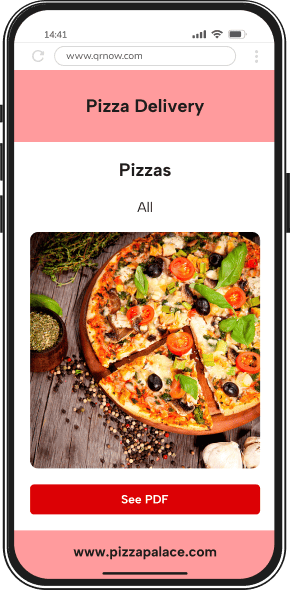
How to Create a QR Code for a PDF with QRNow
Follow these simple steps to get started with our QR code generator during a 7-day trial period and share your documents effortlessly:
-
Choose your file
Select the file you want to share. This could be anything from a digital contract to a product guide or warranty details.
-
Enter your details
Open the QRNow code generator and upload your file. Add a title, brief description, and any optional details, such as links to your website or contact information.
-
Customize and download
Personalize your QR code by selecting a design, frame, or logo that matches your brand. Once your code looks just right, download it in high resolution.
A customized QR code ensures a consistent look across both digital and printed materials while remaining easy to scan.
QRNow PDF QR codes are dynamic, allowing you to replace the linked PDF and track scans without changing the printed code.
 Join thousands of creators
Create, edit, and track QR Codes for instant access to your menus and documents
7-Day Full Access
$1.00
Then $39.95/month, billed automatically until you cancel. Cancel anytime from your account. Prices may vary depending on your country and current promotions.


Everything Included
-
 Unlimited QR codes, scans & bulk creation
-
AI-powered dynamic & static designs
-
Real-time analytics & scan tracking
-
Export PNG · SVG · PDF · EPS
-
Bank-grade storage & full backups
-
Team accounts & custom roles
Cut Costs and Link to Flyers, Guides, or Menus With PDF QR Codes
You can use QR codes for operations or improving customer engagement, along with plenty of other uses. Here are a number of ways you can integrate a QR code for a PDF into your business:
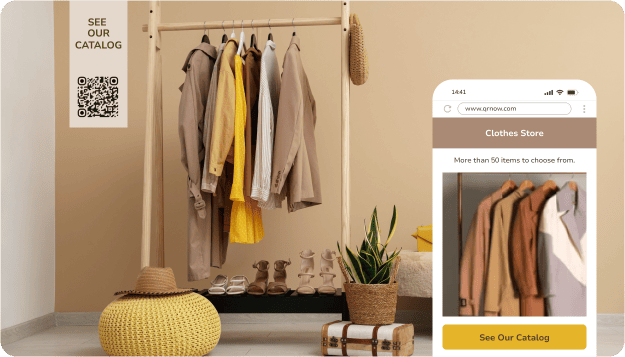



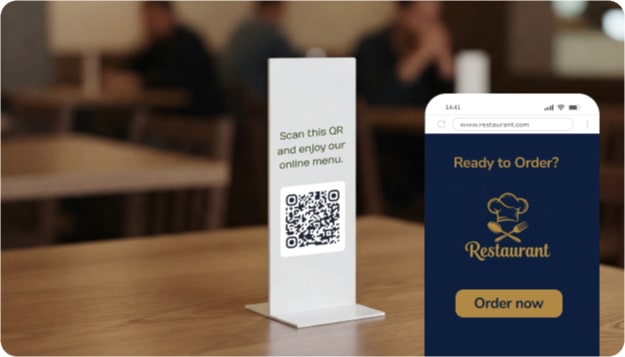
QRNow data insight: Practically every industry can use PDF QR codes! Among our users, the most common industries are Art, Culture, and Media (7.8%), Tourism and Entertainment (7.8%), and Retail and eCommerce (5.8%). Likewise, nearly 40% of PDF QR code users are individuals and freelancers.
Based on aggregated and anonymized QRNow customer usage data collected in 2025.
73,636 Scans: How a Cocktail Bar Uses a PDF QR Code for Its Drinks Menu
One cocktail bar uses a PDF QR code to give customers quick access to its current drinks menu.
The business can replace the PDF whenever seasonal drinks, prices, or weekly specials change without reprinting the code displayed on tables or physical menus. Customers can open the latest published version of the menu with a quick scan. Here are some insights from this customer’s scan data:
- Sundays are the busiest days, with an average of 333.1 scans, followed closely by Saturdays with 284.8 scans.
- Over the 18-month period from January 1, 2025, to June 23, 2026, this QR code accumulated a total of 73,636 scans.
- Of the scans for which device information was available, 92.4% came from iOS devices
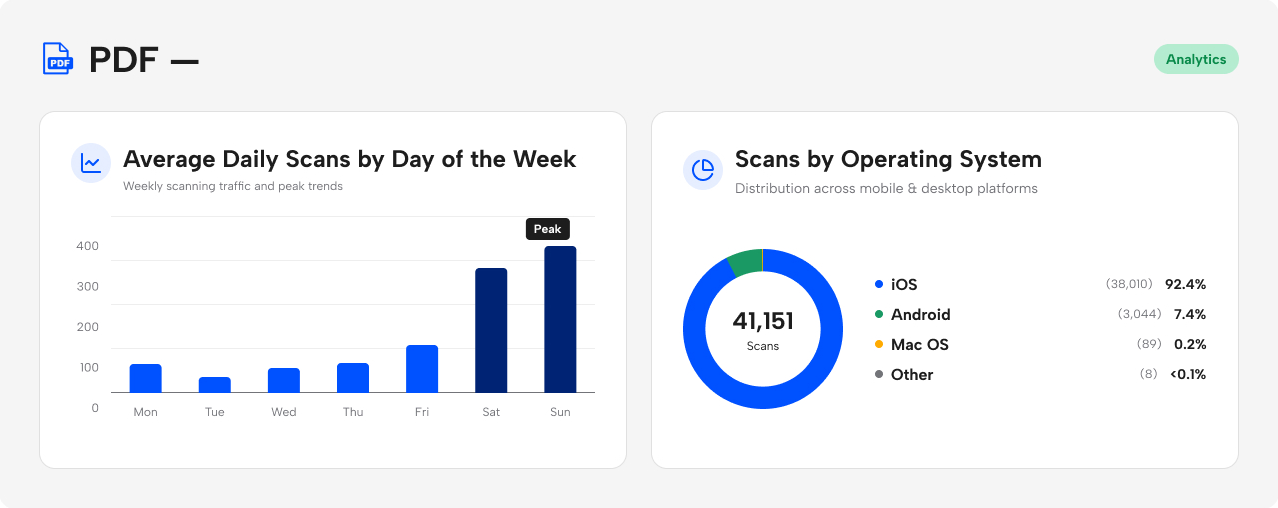 Source: Anonymized first-party QRNow usage data from one hospitality customer. Figures represent total scans, not unique users. Device share includes only scans for which operating-system data was available. Data reviewed by the QRNow Product Analytics team. Updated July 2026.
Other customers use PDF QR codes for a variety of reasons. Manufacturers share product instruction manuals, businesses send welcome letters to new customers, and craft breweries regularly update beer menus as new selections become available.
Although the documents change, customers continue using the same QR code to access the latest version. One code can deliver many different types of documents while ensuring the information remains current and easy to find.
4 Tips to Make Sure Your PDF QR Codes Are Scanned
Below are a few ways to make sure your target audience scans your codes to effectively share information, guides, and more.
-

Increase scans by offering exclusive offers
Set up your QR code as a pass to unique content. For example, if you own a restaurant, you can offer a "special menu for first-time customers" to give people a reason to scan and engage with your business.
-

Give readers a relevant next step with in-document links
Keep the customer engaged by sharing a filewith a link. If you have a real estate company, you can share a property brochure PDF with a clickable "Book a Viewing" link at the end to turn your file into a possible sale.
-

Call for immediate action with time-sensitive content
By adding urgency to your PDF code’s CTA with limited-time deals, you can prevent it from being ignored. For example, you can try promoting a "Spring 2026 Flash Sale" at your store’s window display.
-

Give event attendees immediate access to supporting materials
Connect your QR code to a presentation. If you’re running an event, you can place a code on a display that says "Scan now for presentation slides" to solve an immediate audience need.
Best Practices for Effectively Using a QR Code for a PDF
By following the guidelines below, you can guarantee that your QR codes are impactful and easy for your audience to use.
-
 Keep your file up to date
Make sure any manual, contract, or warranty that you share is current.
-
 Linking to outdated or irrelevant PDFs
Avoid linking to PDFs with incorrect or outdated content.
-
Label your files clearly
Name your files with recognizable labels so users can identify and save them without confusion.
-
Using poorly printed QR codes
Avoid blurry or pixelated QR codes that may not work effectively or frustrate users.
-
Keep important PDFs safe
Do not use a publicly accessible PDF QR code for confidential or patient-specific information. If a document contains sensitive data, protect it with an appropriate access-control system, such as password-protected access through a secure portal, together with encryption.
-
Assuming the PDF will be available offline
Users need an internet connection to open the linked PDF for the first time. For critical information, consider providing a short printed fallback or letting users download the document for later access.
-
Optimize PDFs for cell phones
Use clear fonts and a layout that remains readable on a small screen. Compress the file for faster loading (unter 10 MB), test it on multiple devices, and confirm that the QR code can be scanned at its final printed size.
-
Uploading large or unoptimized PDFs
Stay away from uploading fileswith large file sizes or formats that may take too long to open.
-
Track scans on dynamic QR codes for business insights
Use dynamic QR codes to monitor scan activity and see if your files are being accessed correctly.
-
Missing opportunities to understand customer behavior
Don’t just stick your QR code somewhere and forget about it. You can track if your code is getting enough scans. If not, you can make adjustments.
Frequently Asked Questions
-
A PDF QR Code generator creates codes that share direct access to a PDF. It allows you to share documents easily by placing a code where many users can find it.
By scanning the QR code, recipients can access the PDF directly on their devices, making sharing information simple without having to add any extra attachments.
-
The maximum file size for a PDF QR code is 20 MB. This size is enough for you to share a wide range of PDFs, including reports, manuals, and presentations.
-
Yes. QRNow PDF QR codes are dynamic, allowing you to track scan activity and replace the linked PDF without changing the printed QR code.
-
To scan a PDF QR code, open the camera app on your smartphone or use a QR code scanning app. Point the camera at the code, and a notification or link will appear. Tap the link to access and view the filedocument instantly.
-
A PDF QR code will work offline only if the fileis saved directly on the device after the initial scan. If the QR code links to an online document, you’ll need an internet connection to access the document.
-
QRNow PDF QR codes are dynamic, so you can replace the linked file from your dashboard while keeping the same printed code.
